
Pop-out your Interpreter Window
Edited
When you use an interpreter with SignGlasses, the interpreter can appear in a small pop-out window. This lets you still see the interpreter while using other apps on your device at the same time.
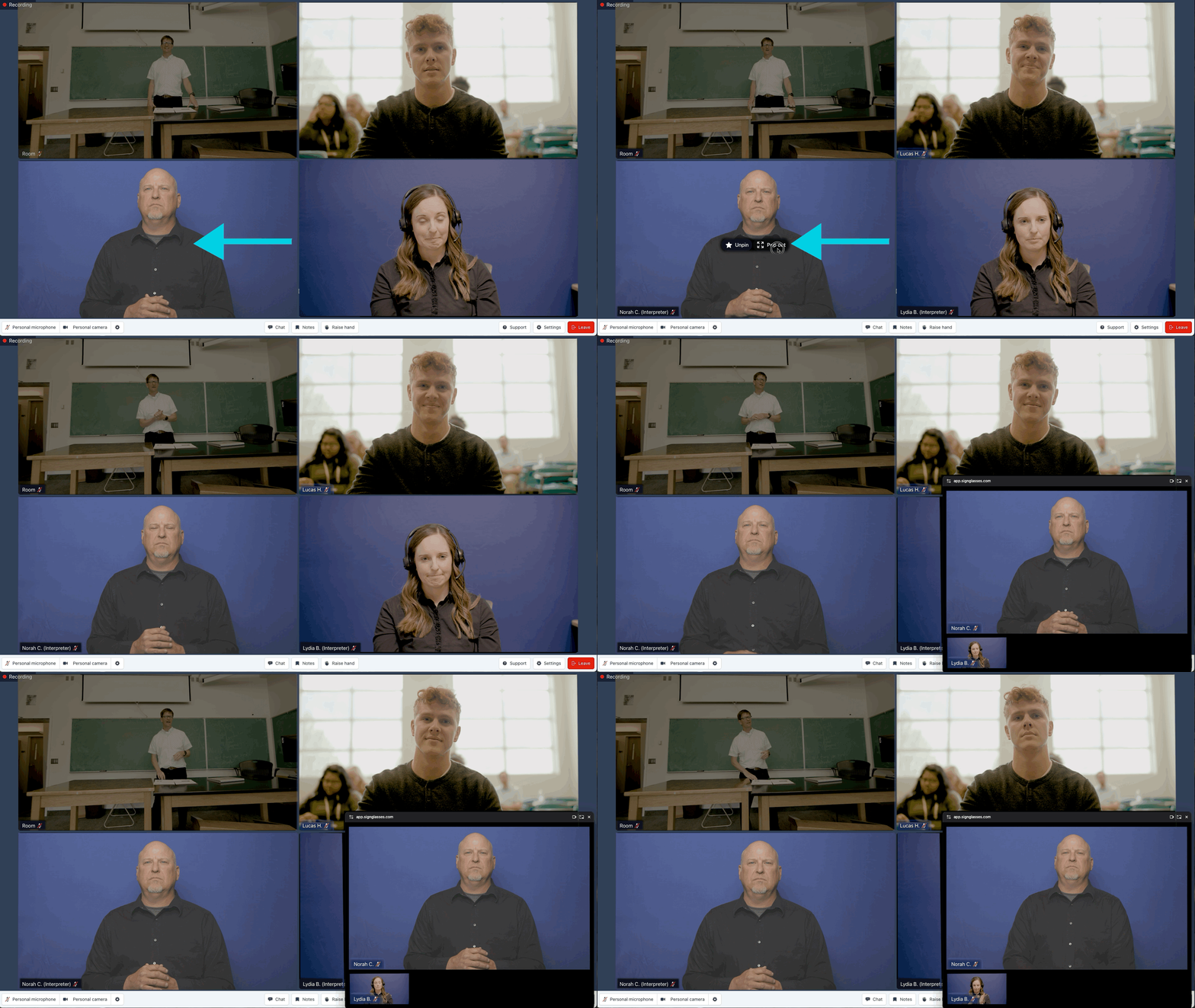
Select "Pop out" over the Interpreter Video
Join the SignGlasses Session
Scroll over one of the Interpreter videos and select [Pop out]
You can move this pop out window anywhere on your screen for easy viewing!
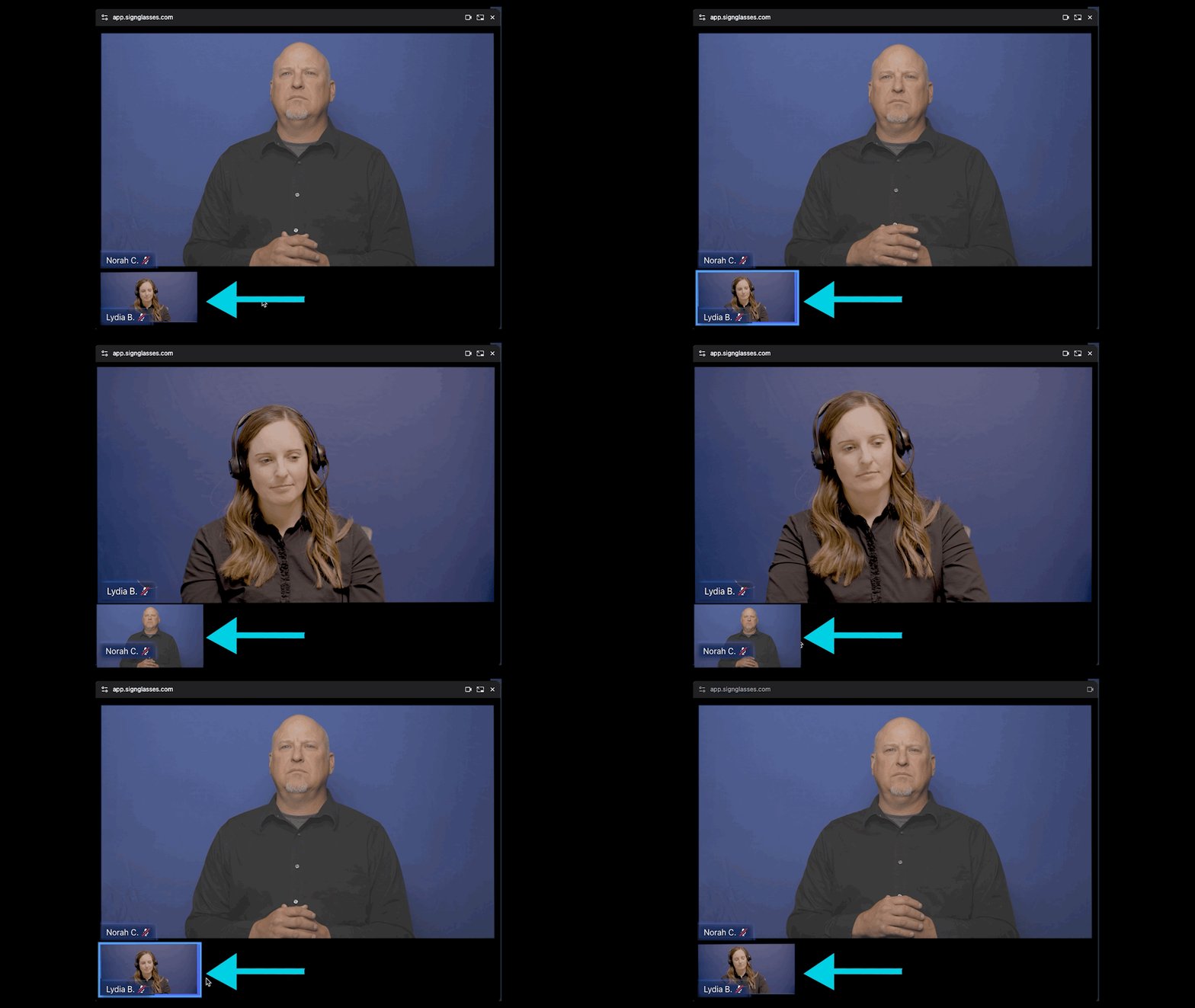
If you have more than one interpreter, you can choose which one shows up big in the pop-out window by clicking on the smaller video. Each click switches which interpreter is in focus.
Was this article helpful?
Sorry about that! Care to tell us more?