
Cancel a session
You can quickly cancel your sessions on the SignGlasses platform.
Locate the session you want to cancel
Log into your SignGlasses account
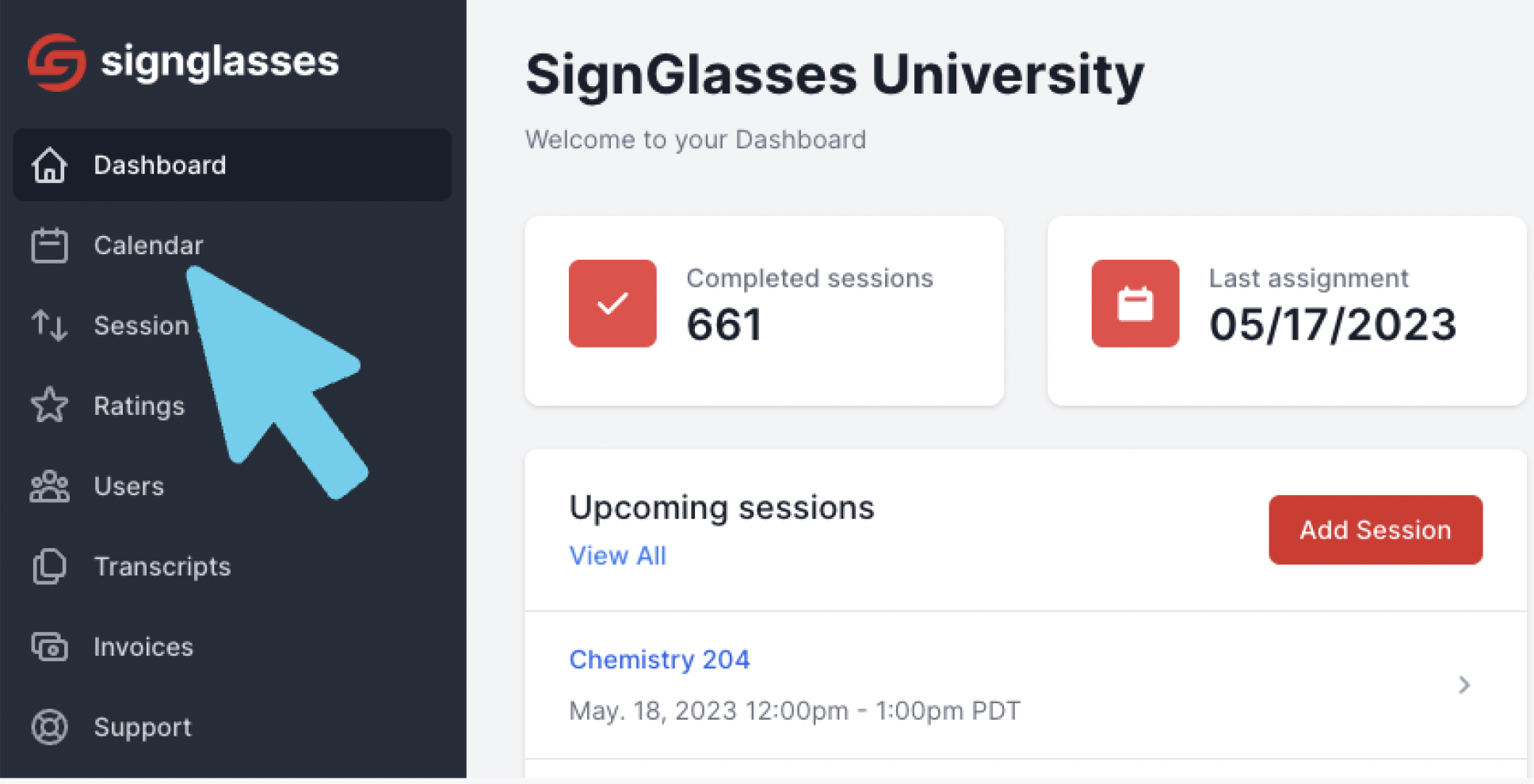
Select the Calendar page on the left-hand side of your screen
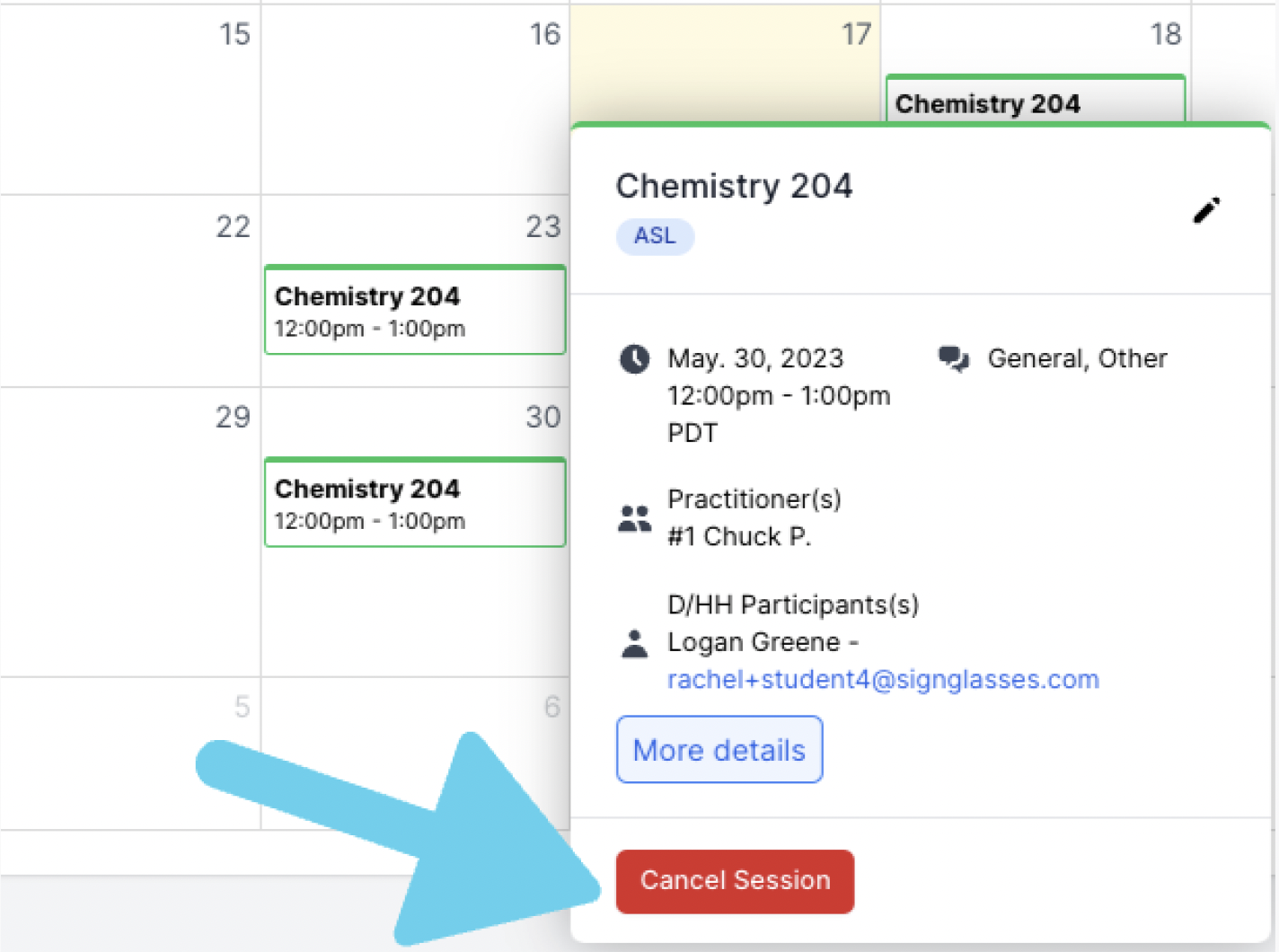
Find the session you want to cancel and click on it
Click the red button that says [Cancel Session].
Confirm the cancellation
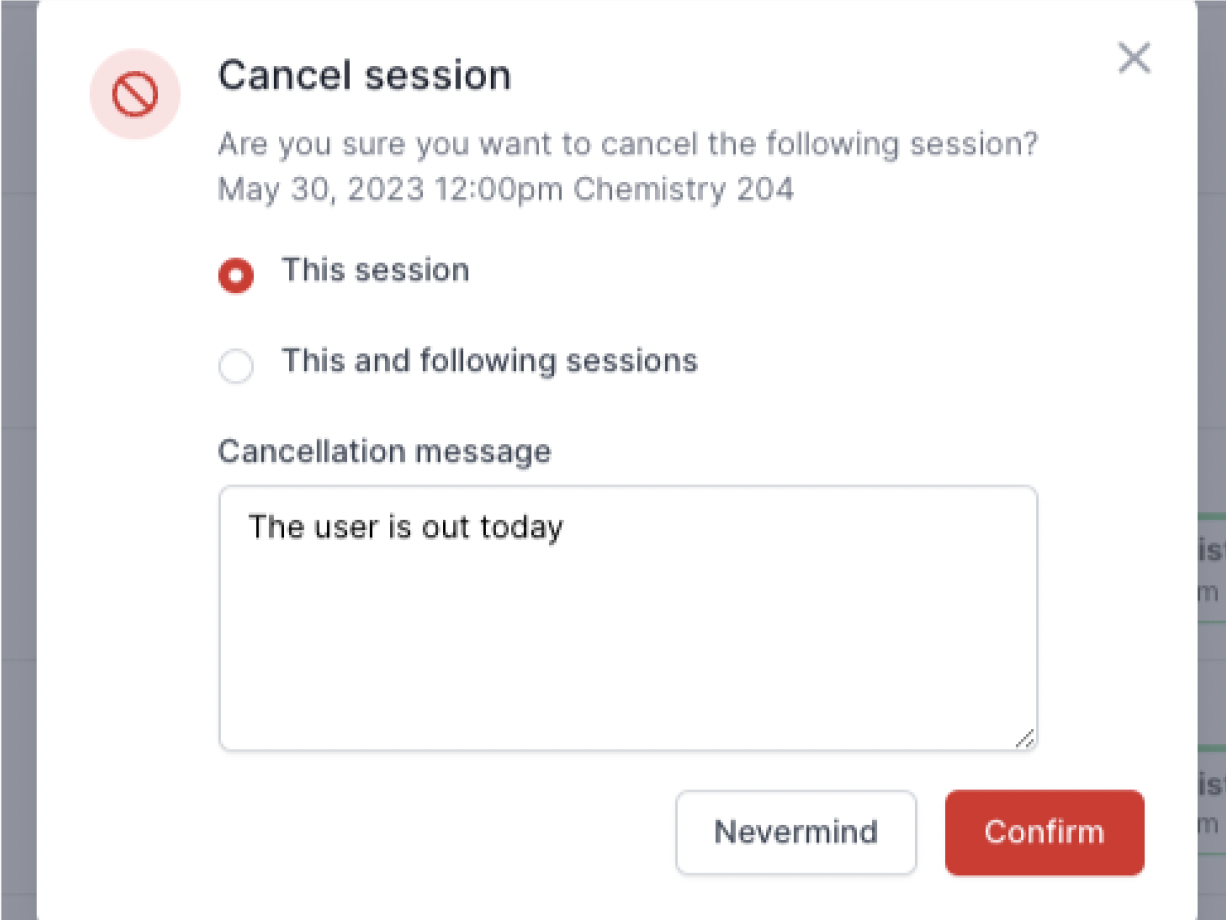
If this is a recurring session, you'll see an option to cancel just this session or all the following recurrences of this session.
Select the option you want
Enter in a cancellation message
Click [Confirm]
If you decide not to cancel, select [Nevermind].
Remember the 24 hour cancellation policy
Please be aware of the 24-hour cancellation policy. Anything canceled within 24 hours of the scheduled appointment will be billable.
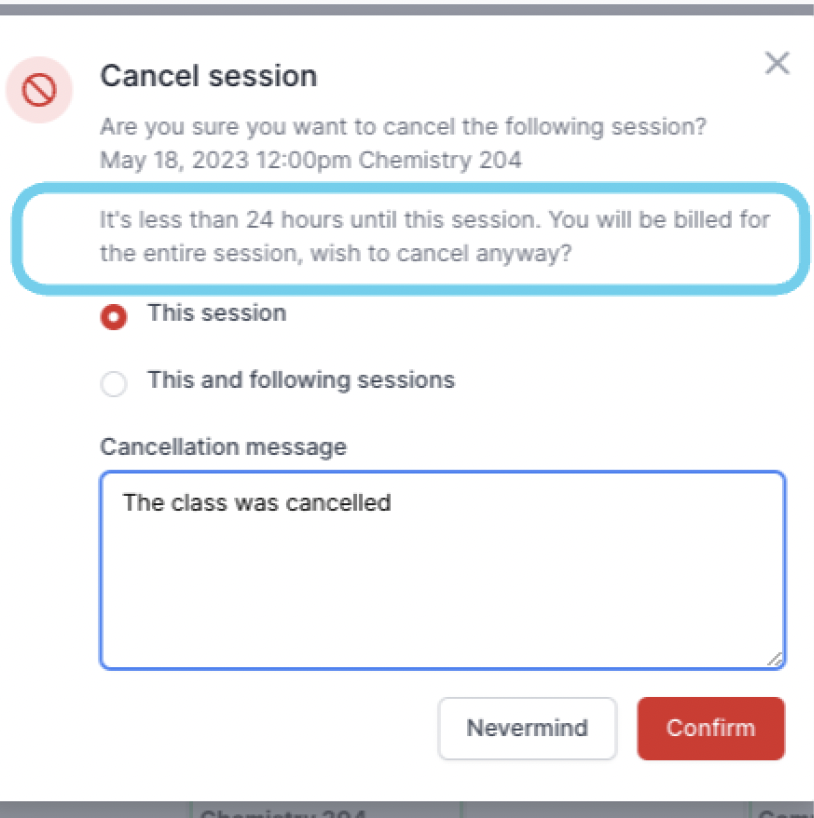
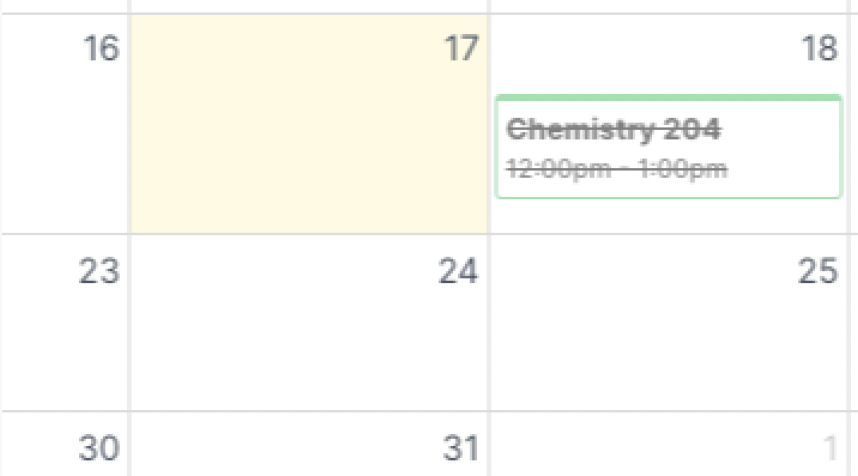
You will see a warning about this in the cancellation pop-up each time you cancel a session within that 24 hour window. It will also still appear in your calendar, but with a line through it.
Cancelling in bulk
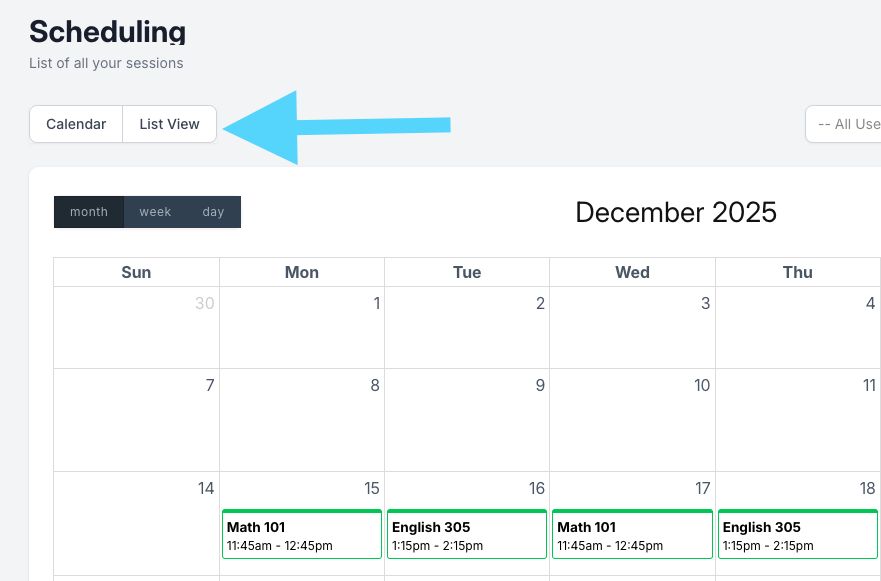
On the calendar page,
Select the [List View] button at the top left
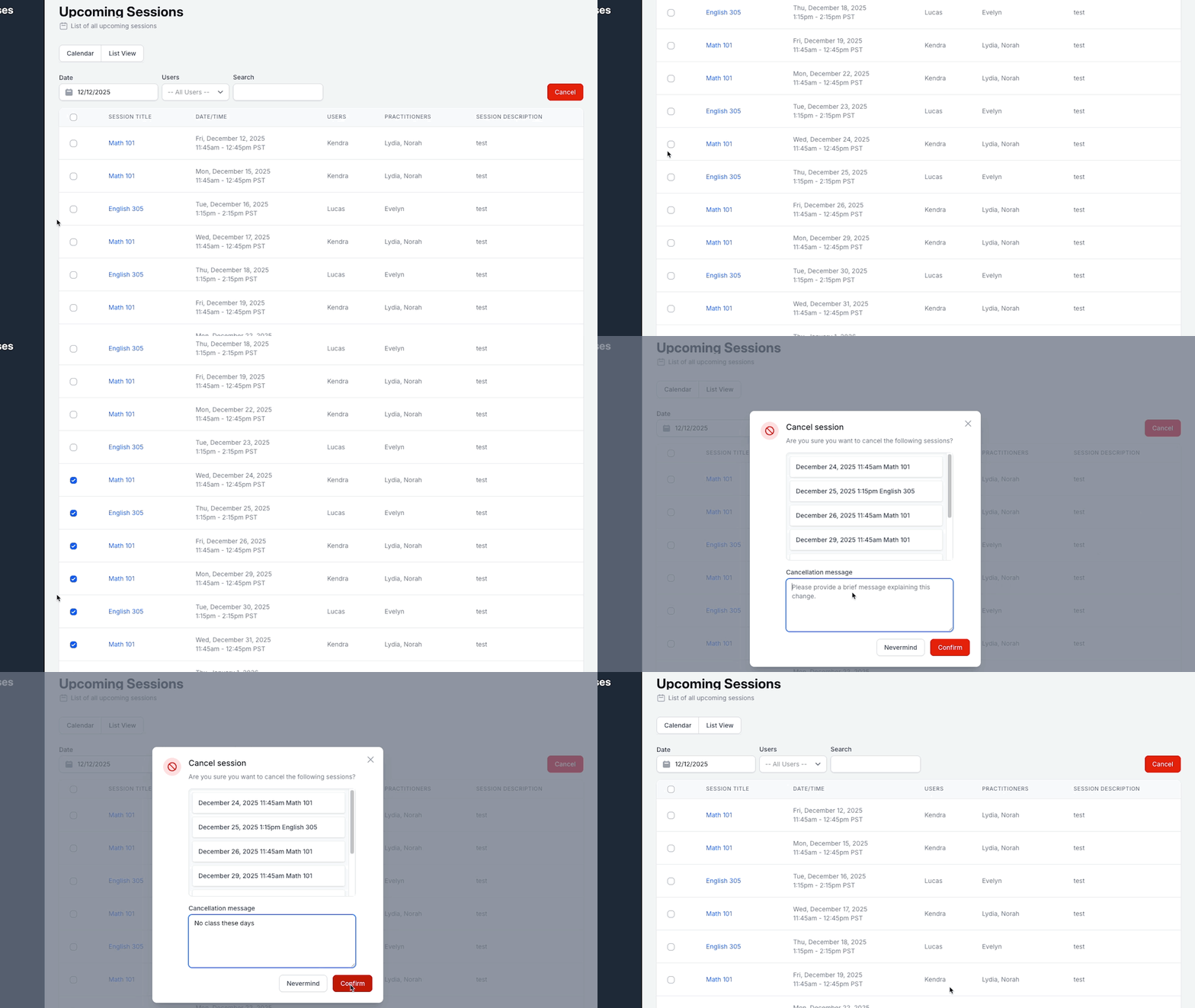
Scroll through the list of sessions and select the circle to the left of each session you want to cancel 🔵
Click the red [Cancel] button at the top right of the page
In the pop-up window, enter in the reason for the cancellation
Click the red [Confirm] button to cancel them. Click [Nevermind] to go back
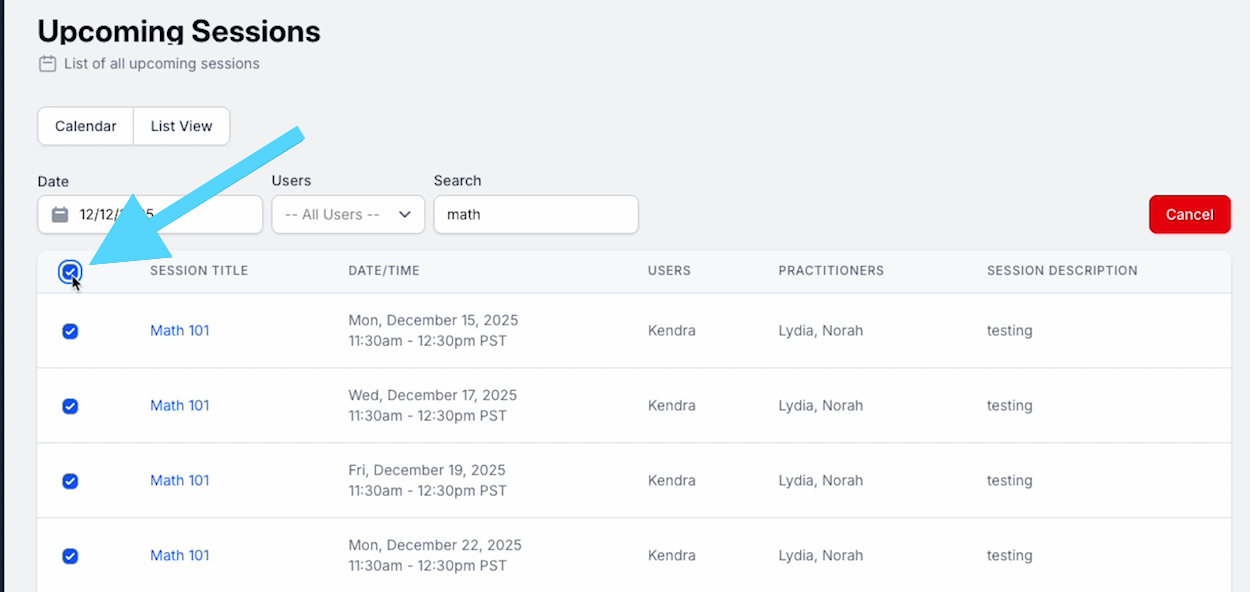
Tip: You can also sort through sessions using a keyword or user name and quickly select every session that matches that search by selecting the circle at the top left. 🔵
Need any help with this? Contact us at ops@signglasses.com